


Data Privacy Day: 5 Digital Privacy Myths
Think you’re being smart about online privacy? This Data Privacy Day, we bust five common digital privacy myths that quietly put your personal data at risk. From incognito mode misunderstandings to cloud storage fears, this guide breaks down what actually keeps your information safe — and what only feels secure.
Written by human for humans
We’ve been living online for decades, yet a lot of the “common sense” rules people follow about digital safety are outdated — or just plain wrong. Privacy isn’t about hiding secrets. It’s about making sure your digital life stays yours. And even if you think you’re being careful, one of these myths might be leaving your front door wide open. Let’s clear the air.
Stay safe. Backup your data with Koofr.
Data Privacy Week 2026 runs from January 26 to January 30 and underscores the importance of making privacy a top priority. This year’s theme, “Prioritise privacy by design,” encourages organisations to build privacy into every stage of a program, service, or initiative—from planning and development to launch and beyond.

Koofr is a partner in the SRC-EDIH project, which supports the digital transformation of SMEs and public organizations. Through the project, partners provide a wide range of training programs, test-before-invest services, support in finding investments, and access to innovation ecosystems and networking opportunities. At Koofr, we focus on cybersecurity - a critical element of every successful digital transformation journey. Explore the services we offer as part of the project, available free of charge for Slovenian SMEs and public organizations.
Myth 1: “I have nothing to hide, so I don’t need to worry about privacy.”
The misconception: Only people doing something shady need encryption or private storage.
The reality: Privacy is about autonomy, not secrecy.
You use curtains at home and locks on bathroom doors — not because you’re a criminal, but because you want control over who sees your private moments. Your digital life deserves the same respect.
The risk: Your “boring” data is incredibly valuable. Shopping habits, location history, and even late-night health searches are used to build a behavioural profile. That profile can affect the prices you see, the ads you’re targeted with, the news you’re shown, and sometimes even financial or insurance decisions.
Privacy isn’t about hiding. It’s about not being manipulated.

Read about previous data privacy days in our blog post - Data Privacy Day: Why Privacy Matters
Myth 2: “Incognito Mode makes me invisible to the world.”
The misconception: Opening an incognito or private browsing window means no one can track what you do.
The reality: Incognito mode only hides your activity from other people who use your device. That’s it.
Your internet provider can still see your traffic. Your employer can still monitor activity on work networks. And the websites you visit can still track you through IP addresses, browser fingerprinting, and logins.
The lesson: Incognito mode is a local privacy tool — not an online invisibility cloak. Real privacy starts when your data is encrypted before it leaves your device and stored somewhere that can’t be casually scanned.
Read more in our blog post: Is Cloud Storage a Safe and Private Way to Store Your Data?
Myth 3: “A strong password is all the protection I need.”
The misconception: “If my password is 20 characters long with symbols, I’m safe.”
The reality: Even the strongest password can be exposed in a data breach — and breaches happen constantly to major, trusted companies.
If attackers get your password, strength no longer matters. It’s already in their hands.
The solution: Enable Two-Factor Authentication (2FA) wherever possible.
Think of it this way:
- Your password is the key
- 2FA is the fingerprint scan
A key alone can be copied. A fingerprint (or authentication app code) adds a second layer that attackers usually can’t access.
Read more in our blog post: How Two-Factor Authentication Improves Your Online Security
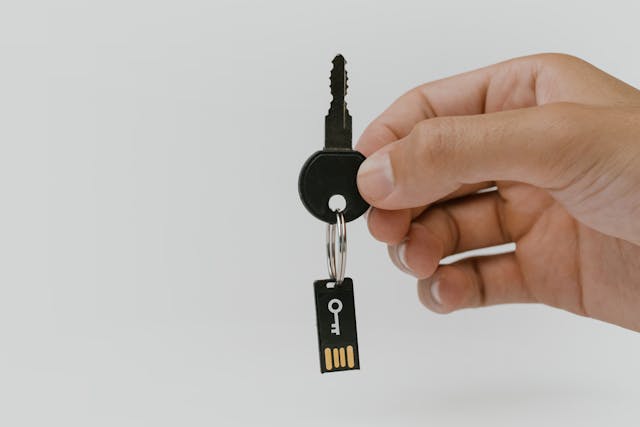
Myth 4: “I have to choose between a ‘user-friendly’ cloud and a ‘secure’ cloud.”
The misconception: Zero-Knowledge Encryption (ZKE) sounds intimidating. People worry that if they lose their master key, their data is gone forever — so they avoid privacy-focused tools altogether.
The reality: You don’t have to go all-in on one extreme. Take a smarter approach: a hybrid model. Use:
- A secure cloud storage for everyday files you share and collaborate on
- A Zero-Knowledge encrypted vault or add-on for your “crown jewels” — passwords, ID documents, medical records, legal files
The benefit: You stay in control. You decide which files go into the “maximum-security safe” and which live in the “quick-access drawer.” That’s real, practical privacy — not paranoia and not inconvenience.
Read more in our blog post: Adjust the Level of Cloud Storage Security and Take Advantage of its Full benefits
Myth 5: “My data is safer on a physical hard drive than in the cloud.”
The misconception: “If I can see my USB drive, I know where my data is.”
The reality: Physical hardware is fragile. It gets dropped, lost, stolen, or quietly fails over time. Hard drives degrade. USB sticks die. Laptops get left in taxis.
The cloud advantage (when done right): A privacy-focused cloud doesn’t just hide your data — it protects it from hardware failure by keeping encrypted copies in multiple secure locations. You’re not relying on a single piece of plastic and metal to hold your digital life together.
Do you want serious resilience? Follow the 3-2-1 backup rule:
- 3 copies of your data
- 2 different types of storage (for example: cloud + NAS)
- 1 copy offsite
A NAS (Network Attached Storage) at home is great for fast local backups and control. Pair it with an encrypted cloud backup, and you’re protected against hardware failure, theft, fire, and ransomware. That’s not overkill — that’s modern digital hygiene.
Read more in our blog post: Cloud Storage vs. NAS: Comparing Data Storage Options

The Bottom Line
Technology has changed. Threats have changed. But many of our privacy habits are stuck in 2010. Moving away from these myths isn’t about being paranoid. It’s about being prepared, informed, and in control of your own digital life.
Don’t let myths dictate your security.
Sign up. Protect your sensitive data with Koofr.
Try Koofr and see how easy it is to get high-level privacy without the technical headache.
Want to talk to us? Join our growing Reddit community!
This article was published to promote cybersecurity awareness - one of the key focus areas of the SRC-EDIH project. Together with other partners, Koofr helped SMEs and public organisations access free services including trainings, test-before-invest opportunities, funding support, and innovation ecosystem networking. The project has now ended, but its activities continue through SRC-EDIH 2.0.
SRC-EDIH is funded by the European Union. Views and opinions expressed are however those of the author(s) only and do not necessarily reflect those of the European Union or European Commission. Neither the European Union nor the granting authority can be held responsible for them.
