


Storing Invoices, Receipts and Warranties: How to Ditch Email as an Archive
Your email is not a filing cabinet — but most of us treat it like one. Here's how to move your invoices, warranties, and personal paperwork into a system that's genuinely private, organised, and stress-free using Koofr cloud storage.
Written by human for humans
Picture the scene: your washing machine starts making a suspicious grinding noise. You bought it three years ago, and you're fairly certain it's still under warranty — but where on earth is the receipt? You open your email, type "warranty" into the search bar, and brace yourself. Two hundred results. Promotional emails, delivery notifications, and a receipt for something you barely remember buying. Twenty minutes later, you're still searching, and the machine is still grinding.
Sound familiar? For most of us, email has quietly become a filing cabinet — convenient in the moment, catastrophic under pressure.
Koofr. Organisation without surveillance.
The good news is there's a better way to manage your financial documents, invoices, warranties, and personal paperwork — one that keeps everything organised, private, and instantly findable. It's time to move from "searching and praying" to a system that actually works.
- Feeding the algorithms, targeted advertising, and profiling systems
- Koofr: Filling the gap between useful and privat
- How to effortlessly organise your paperwork in Koofr
- A suggested folder structure to get you started
- Take back your time — and your privacy
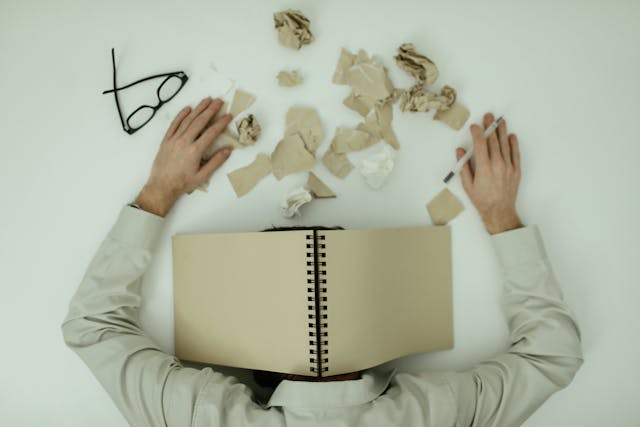
Feeding the algorithms, targeted advertising, and profiling systems
Most of us don't think twice about where our files live. We upload them to a popular cloud storage service, assume they're safe, and move on. But there's a hidden cost to many of the "free" or low-cost mainstream platforms — especially when those files contain your personal financial data.
Many of the biggest cloud and email providers build their businesses, at least in part, on data insights. Your purchase history, your medical bills, your insurance documents; when they pass through certain platforms, they can become inputs for algorithms, targeted advertising, and profiling systems you never opted into.
This isn't a conspiracy theory. It's the business model. And when the files in question are your invoices, tax returns, and private receipts, the stakes feel rather more personal.
The question isn't just "can I find my files?" It's "who else can see them besides me?"
Koofr: Filling the gap between useful and privat
Koofr was built on a different premise. The one that states that useful and private are not opposites.
As a proudly European cloud storage service, Koofr is GDPR-compliant and privacy-first by design. All data is stored on secure servers within the European Union. But what matters most for your invoices and receipts is this: Koofr does not scan your files. Your purchase history, your medical bills, your private financial documents — they remain your business.
That's not just a feature. It's a philosophy.
Koofr isn't a dumping ground for files. It's a structured environment for people who want to stay on top of their paperwork without spending hours looking for things. The interface is clean, the tools are practical, and everything is designed around the idea that you own your data environment — not the other way around.
How to Save Email Attachments from Gmail to Koofr With Save to Koofr
Koofr Vault: an optional extra lock on the door
For those managing ultra-sensitive documents — contracts, legal files, financial records shared with an accountant — Koofr offers Koofr Vault, a client-side encryption add-on. With Vault, your files are encrypted on your device before they ever reach Koofr's servers. Only you hold the key. Not Koofr, not anyone else.
Think of it as a safe inside a vault. You decide which documents go into maximum-security mode and which live in your everyday accessible folders.
Adjust the Level of Cloud Storage Security and Take Advantage of its Full Benefits

How to effortlessly organise your paperwork in Koofr
Once your files are in a private, secure home, the real benefit kicks in: actually being able to find things. Here are the Koofr features that make invoice and document management genuinely effortless.
The Power of Labels
Koofr's colour-coded label system transforms your file browser into something visual and scannable. Create colour labels for Tax 2025, Home Repair, Urgent, or Processed and apply them to individual files or entire folders. Instead of opening document after document, you can identify what you need at a glance — no more guessing which version of a file is the final one.
Read more about Labels: A New Way to Organise Your Files in Koofr
Advanced Search
When you do need to search, Koofr's advanced search tools let you filter by file name, file type, and modification date. Search for "invoice" and filter by PDF, and you'll get exactly what you need.
Seamless, Secure Sharing
Do you need to send your accountant three years of receipts before a tax deadline? With Koofr, you don't need to drag everything into an email attachment or use an insecure file transfer. Simply generate a secure shared link directly from your organised folder. The files stay in Koofr. Your accountant gets clean, instant access. No inbox chaos, no security compromise.
Scan Paper Receipts on the Go
Not everything starts as a digital file. For paper receipts and physical invoices, Koofr's mobile apps make it easy to photograph and upload directly to a specific folder. The moment you get a receipt, scan it, upload it to your Finance > Receipts folder, and you're done. No shoebox required.
Save Email Attachments Directly to Koofr
One of the smartest workflow upgrades you can make is connecting your email to Koofr using the Save to Koofr add-on. Instead of letting important invoices and receipts pile up in your inbox, you can send attachments directly to the folder in Koofr — with a single click. Your email stays clean, and your documents end up exactly where they belong.

A suggested folder structure to get you started
The simplest way to start is with a three-folder system at the root level. Here's a structure that works for most people:
Finance
- Invoices
- Tax Returns
- Bank Statements
- Receipts
Household
- Warranties
- Appliance Manuals
- Renovation Receipts
- Utility Bills
Personal
- ID Copies
- Travel Documents
- Insurance Policies
- Medical Records
Inside your Finance folder, consider adding a subfolder per tax year — Tax 2024, Tax 2025, Tax 2026 — so you can archive each year cleanly once it's done. Your active folders stay small and fast, while older records remain safely stored and fully searchable.
This kind of structure takes about fifteen minutes to set up. After that, maintenance is minimal: when a new invoice arrives, it takes five seconds to drop it in the right place. The dividends — especially come tax season — are enormous.
Read more about building a filing system that works: 4 useful tips for organizing your files
Take Back Your Time — and Your Privacy
Moving from email chaos to Koofr isn't just about tidiness. It's about reclaiming something more valuable: the confidence that your most sensitive documents are private, organised, and findable in seconds — not after twenty minutes of scrolling.
Koofr. Where your files are organised.
Start today. Create your first Tax 2026 folder. Upload the invoices sitting in your inbox. Start using Save to Koofr. Apply a label to your files. The system builds itself, one document at a time.
Want to talk to us? Join our growing Reddit community!