


Koofr for Students: Collaboration and Sharing
From tab chaos to thesis submitted: discover how Koofr helps students capture research, connect all their cloud accounts, collaborate on group projects, and clean up their storage — all in one place.
Written by human for humans
Picture this: your research paper is due tomorrow, and your data is split between a USB stick you left at home, a random Google Drive folder, and three browser tabs. Sound familiar? Most students aren't lacking motivation - they're lacking a system.
That's where Koofr comes in. A place where your research, notes, group projects, and files live together, accessible from any device, at any time.
Koofr. Plans for every lifestyle and budget.
Here's a practical guide to using Koofr across your entire student workflow from first research to final submission.
Phase 1: Capture Research Without the Tab Chaos
Feature: Save to Koofr browser extension
You're deep into researching your thesis. You've got 50 browser tabs open — journal articles, news pieces, Wikipedia rabbit holes, and three YouTube videos you're "definitely going to watch later."
Instead of drowning in bookmarks or losing sources the moment you close your browser, use the Save to Koofr extension. With a single right-click, you can:
- Save screenshots of entire web pages directly to your Koofr account
- Capture selected text from an article (saved as a .txt file with the source URL included — no more "where did I find that quote?" moments)
- Save images, PDFs, or links to files straight into your cloud storage
Everything lands in a dedicated Save to Koofr folder, ready to organise when you're ready to write.

Read more: Save anything from the web with Save to Koofr add-on.
Koofr tip: Because files are saved directly to the cloud, you can close those tabs immediately and free up your browser memory and battery.
Phase 2: Bring All Your Files Into One Place
Feature: Multi-cloud connection & Labels
Most students have a digital past: old lecture notes on Dropbox from secondary school, shared group files on OneDrive, and personal photos on Google Drive.
Koofr lets you connect Google Drive, OneDrive, and Dropbox directly to your account. From that point on, you can search your entire digital life from a single search bar — no switching between services, no duplicate downloads.
Read more: Connecting multiple cloud storage accounts to Koofr: a step-by-step guide
Once everything is in one place, use Labels to bring order to the chaos. Labels work like colour-coded tags that cut across folders:
- Pink for Semester 1
- Green for Biology 101
- Blue for Private / Personal
Read more: Labels: a new way to organise your files in Koofr

Phase 3: Write and Edit from Any Device, Anywhere
Feature: MS Office for the Web integration
You're in the library on a public computer. Or on your tablet on the bus. Or you're using a friend's laptop because yours died the night before a deadline (it happens). With Koofr's Microsoft Office for the Web integration, you can open and edit Word documents, Excel spreadsheets, and PowerPoint presentations directly inside your browser — no software installation needed.
Every change is saved automatically to your Koofr folder - no USB key required. No emailing files. This also means true real-time collaboration: you and your study partner can work on the same document simultaneously, from different locations.
Read more: Koofr integrates with Microsoft Office for the Web
Koofr tip: Working from a café or library? Koofr gives you full access to your files and editing tools from any browser, on any computer.
Read more: How Two-Factor Authentication Improves Your Online Security
Phase 4: Group Projects Without the Drama
Feature: Simple sharing
Group projects have a universal villain: the endless chain of emails with attachments called Final_v2_REAL_final.docx. Nobody knows which version is current. Someone overwrites someone else's work. The night before the presentation, chaos reigns.
With Koofr's sharing options, you can:
- Create a shared link that any teammate can access even without a Koofr account
- Share directly with other Koofr users for tighter collaboration
- Revoke access once the project is submitted, so old collaborators don't retain access to your files indefinitely
Everyone stays on the same page. Literally.
Read more: Overview of sharing options in Koofr | Share your files securely with public links
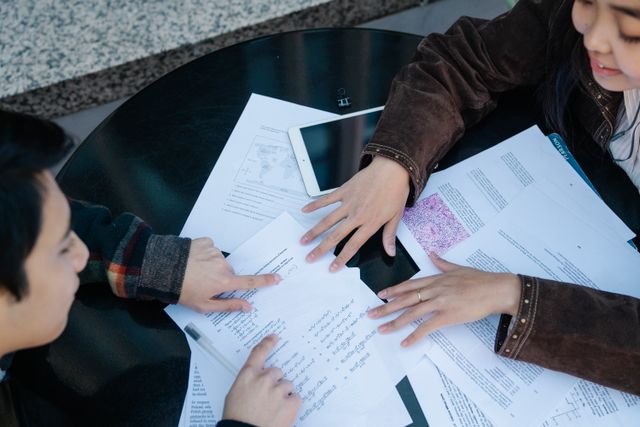
Phase 5: End-of-Semester Clean-Up in Minutes
Feature: Koofr Extra Tools - Duplicate Finder
The semester is over and your cloud storage is now 90% full of files called Copy of Research.docx, Research_FINAL.docx, Research_FINAL_v3_submitted.docx, and assorted lecture slides you downloaded three times because you forgot you already had them.
Run the Duplicate finder. It scans your entire storage, identifies identical files, and lets you delete them in bulk — without manually checking each one. You might be surprised how much space you reclaim.
Read more: Find and manage duplicate files with ease
Old School vs. Koofr Student: A Quick Comparison
| Feature | The "Old School" Student | The Koofr Student |
|---|---|---|
| Researching | 50+ browser tabs and links. | One-click saving with the Save to Koofr extension. |
| File Access | USB drive | 24/7 access from any device, anywhere. |
| File Organisation | Files and folders. | Files and folders, organised with Labels. |
| Fragmented Data | Files scattered across different clouds. | Everything in one place. |
| Essay Writing | Needs software installed locally. Tied to one computer. | Writes and edits via Office for the Web. Works from any computer. |
| Group Projects | Emailing files. | Simply sharing files for instant collaboration. |
| Storage Space | Ten copies of the same file. | Optimised with the Duplicate Finder. |
Read more: Why should you stop using USB drive
Koofr Grows With Your Degree
Koofr isn't just a "hard drive in the sky". It's a tool that adapts to your academic life — from first-year note chaos to final-year thesis research to post-graduation professional files. The features you use in Phase 1 (quick research saves) are the same ones you'll still be reaching for years later.
And because Koofr is a privacy-first, European cloud storage service (GDPR-compliant, with no ads and no tracking) your files stay yours. Always.
Get 10GB free, upgrade when needed.
Whether you're organising a single semester or building habits for a lifetime, Koofr gives you the tools to do it properly — from the first deadline to the last.
Want to talk to us? Join our growing Reddit community!